Searching Twitter by Date
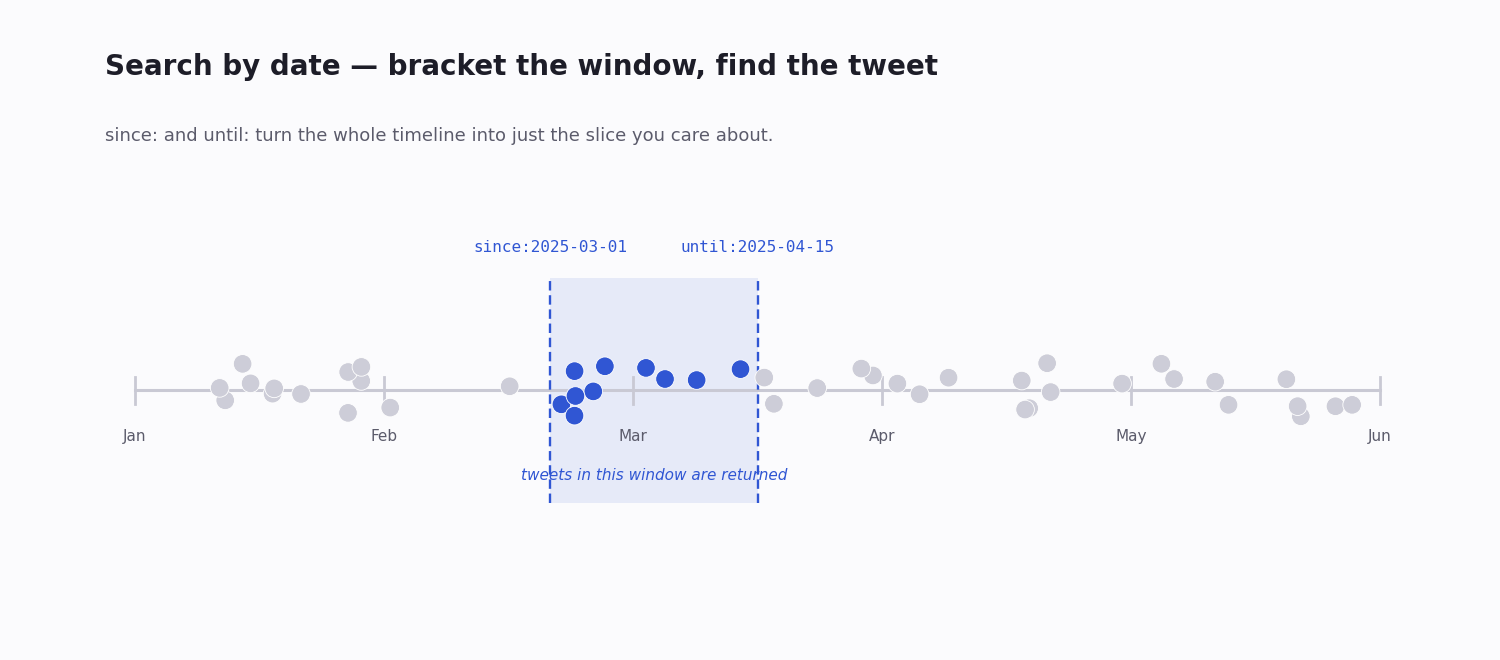
Searching X (Twitter) by date comes down to two operators — since: and until: — but the gap between what the web interface gives you and what the search engine behind it can actually do is large. The web search quietly caps how far back it will look and how many results it will surface; the same operators through an API walk a date window of any length, in full.
This page is the working reference: how the two date operators behave — including the boundary and timezone rules that silently break queries — what the web UI delivers versus what it hides, and how to search a date range through an API when you need the whole window rather than a sample of it.
If you are hunting one specific tweet from a while ago, you will usually pair a date window with a content fragment or an author filter. If you need every tweet in a window, you need the API. Both paths are below, with the operator details that decide whether a query works or quietly returns the wrong thing.
The Two Date Operators
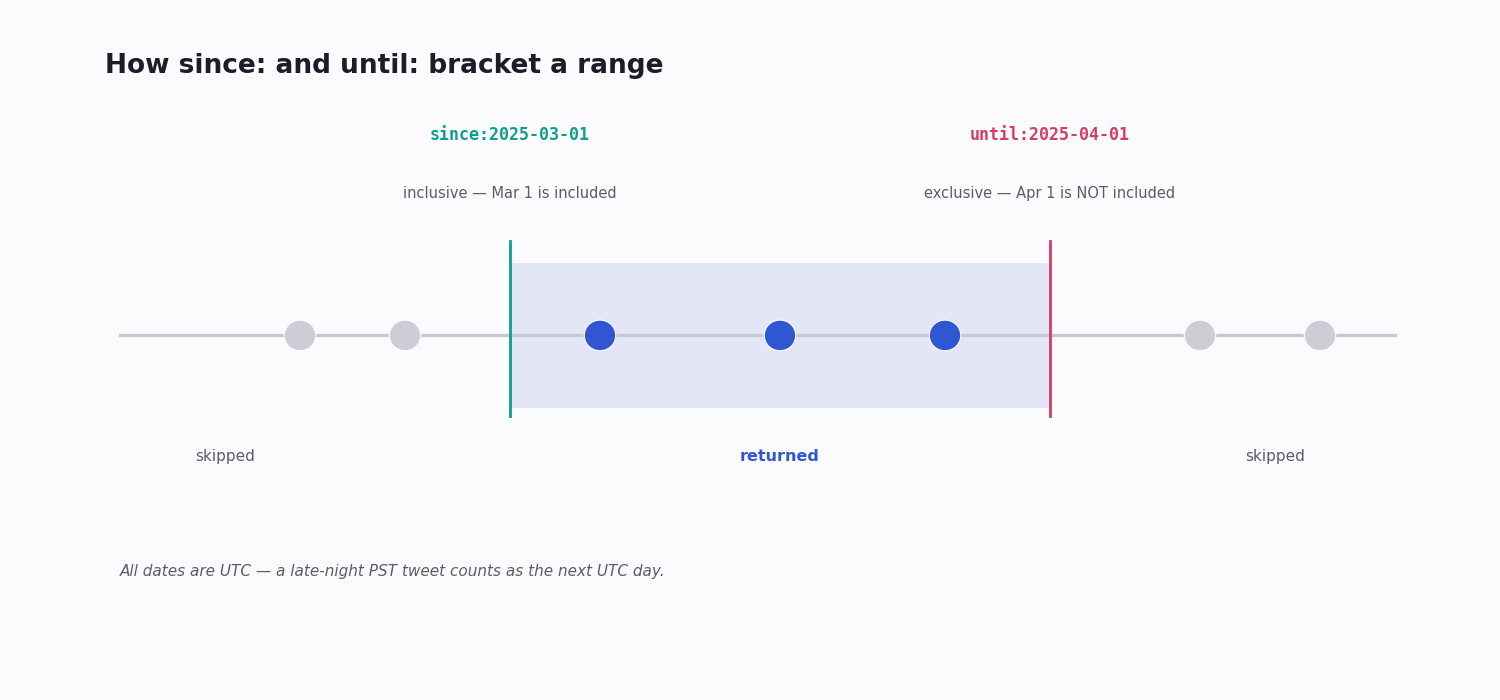
since:YYYY-MM-DD — tweets posted on or after this date. The boundary is inclusive: the since date itself is part of the results.
until:YYYY-MM-DD — tweets posted before this date. The boundary is exclusive: the until date itself is not included. until:2024-03-15 returns posts through 2024-03-14 23:59 and stops — a detail that quietly costs people a day's worth of results.
Format is strict. Both operators accept YYYY-MM-DD and nothing else. A slash-separated date, a two-digit year, or a month name is ignored rather than rejected — the search runs without the date filter and you get a much wider result set than you asked for.
since_time: / until_time: — take Unix timestamps (seconds) instead of a calendar date, for when you need to bracket by the hour rather than the day. Useful for pinning a search to a specific event window.
Everything is UTC. Date and time operators are evaluated in UTC, not your local timezone. A tweet posted at 11pm in a US timezone counts as the next day under since:/until: — the single most common reason a date search looks "off by one."
Reading a Date Window Correctly
Because since: is inclusive and until: is exclusive, the two operators bracket a half-open window — and that asymmetry decides whether you get the right span.
To search a single calendar day, set until to the next day: since:2024-03-15 until:2024-03-16 returns just the 15th (UTC). Setting both to the same date returns nothing.
To search a clean month, use the first of each month: since:2024-03-01 until:2024-04-01 covers all of March without leaking into April.
If a window looks short by a few hours, the UTC rule is almost always the cause — shift your bound to compensate for the offset between your timezone and UTC.
If a window returns far too much, check the date format first. A silently-ignored since: means the search ran unbounded.
What the Web UI Date Search Delivers — and Hides
Type since:2023-01-01 until:2023-12-31 yourkeyword into the web search bar and you will get results — but with caveats the interface never shows you:
A depth cap. The web search returns at most a few hundred results for a query, however many actually match. Scroll far enough and you hit a cliff with no "see older" — the rest of the window is simply not shown.
Recency bias inside the window. Even within the date range you specified, the interface favours more recent matches; older tweets that match can be silently dropped.
No export. You can read results on screen but cannot cleanly pull them down as CSV or JSON.
For a one-off check — did this account post about a topic during a given week? — the web UI is perfectly fine. For anything that needs completeness, it is the wrong tool, and it will not tell you so.
Date Search Through an API
An advanced-search API takes the exact same since: / until: operators, with none of the interface's hidden limits.
Predictable pagination. A third-party endpoint such as TwitterAPI.io's /twitter/tweet/advanced_search returns a page of tweets plus a has_next_page flag and a next_cursor string. You loop on the cursor until has_next_page is false and you have walked the entire window — no depth cliff.
Documented JSON. Results come back as a structured tweets array with full fields per post — id, text, author, timestamps, engagement counts — ready to store or analyse, not scraped HTML.
Combinable. The date window stacks with every other operator: from:, lang:, has:media, min_faves:, -filter:replies. You narrow by date and by content in one query.
queryType. Pass Latest to walk a window in strict chronological order — the right choice for a complete sweep — or Top to rank the window by engagement.
How Far Back You Can Go
Date search only helps if the data is still reachable, and reach depends entirely on which path you use.
Web interface — reliably surfaces only recent posts; older windows return thin, capped results even when far more matched.
Third-party APIs — reach meaningfully further back than the interface; exactly how far depends on the provider's retention window, so check before you plan a deep sweep.
The official X API — for a new developer account this is now metered pay-per-use, billed per post read; the old flat $200/month Basic tier is closed to new signups. The complete multi-year archive sits behind the official API's enterprise-level access, which is a quote-based contract starting in the tens of thousands per month.
For most date-bounded work, a third-party pay-per-call API — about $0.15 per 1,000 tweets returned, no subscription — is the practical option: deep enough for real historical windows, cheap enough to sweep them.
Combining Date With Other Operators
A date window on its own is blunt. Paired with other operators it becomes a precise instrument:
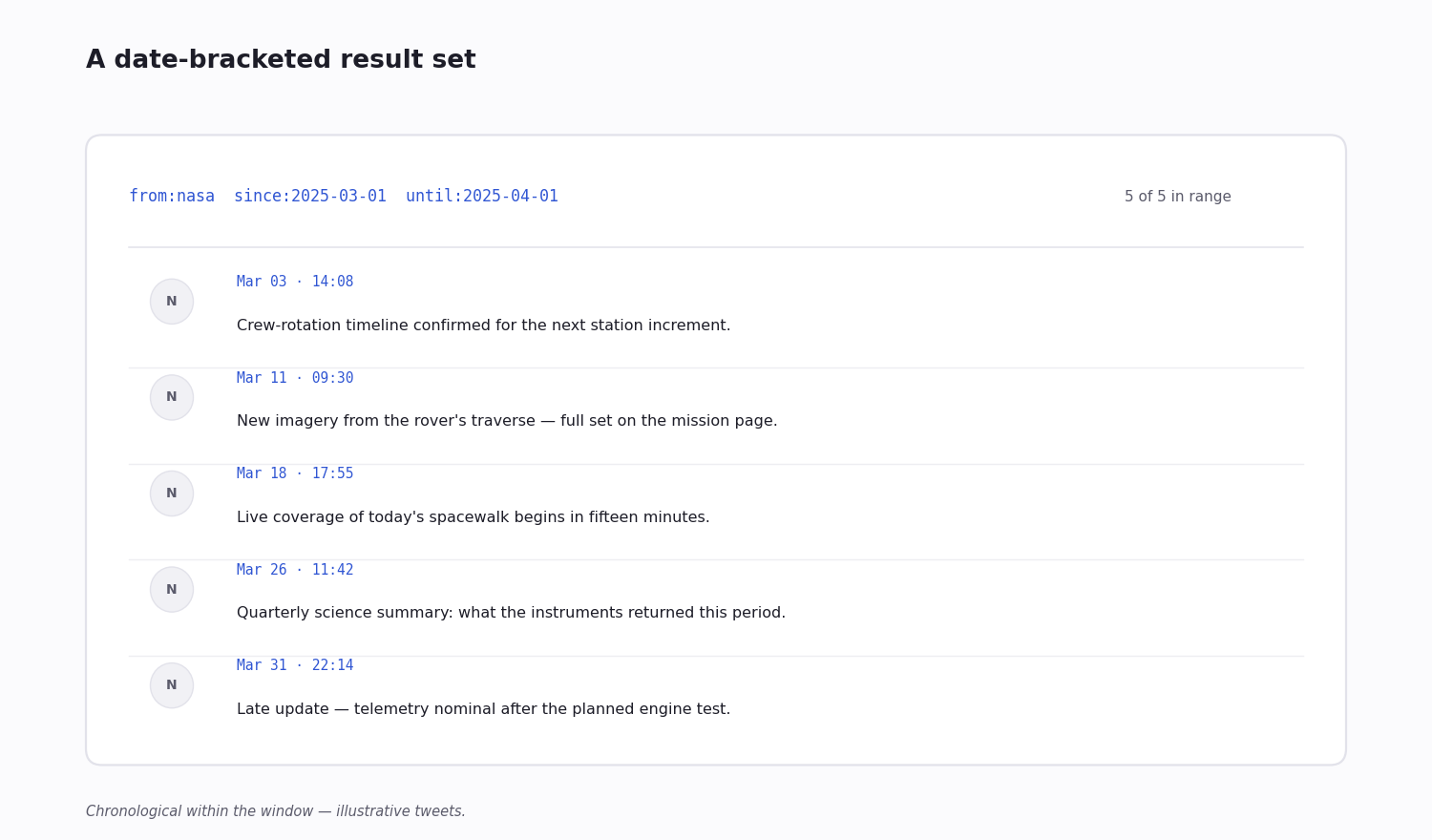
One account's window — from:nasa since:2024-03-01 until:2024-04-01: everything a single account posted in a span.
Window plus quality floor — acmecorp since:2024-03-01 until:2024-04-01 -filter:retweets min_faves:5: original, English, engaged brand mentions inside the window, not every echo.
A hashtag's active period — #yourtag since:2024-09-01 until:2024-10-01: a campaign tag scoped to the month it ran.
Originals only — add -filter:replies to drop reply chatter and see an account's actual posts for the window.
Date-Search Recipes
The patterns that come up most often when people search by date:
Recover a half-remembered tweet — from:username "a phrase you recall" since:2024-06-01 until:2024-09-01: an author, a fragment you are sure of, and a generous window. The fastest route back to one specific old post.
Audit an account over a period — from:competitor since:2024-01-01 until:2024-04-01 -filter:replies: a competitor's own posts across a quarter, reply noise removed.
Incident postmortem — acmecorp since:2024-03-15 until:2024-03-22: every brand mention across the days an incident ran, for a complete after-the-fact picture.
Campaign-period reach — a hashtag bracketed to the exact run dates, to measure what the campaign actually generated rather than lifetime totals.
Find an old viral post — topic min_faves:1000 since:2024-05-01 until:2024-05-31: high-engagement originals on a topic inside one month.
Walking a Long Window in Code
A multi-month window can hold far more tweets than a single API page. The pattern is a cursor loop: request a page, append the tweets, and if has_next_page is true, pass next_cursor back on the next call. Repeat until the flag is false.
Use queryType: "Latest" for a sweep so the window comes back in chronological order, and cap the loop with a sane maximum so a very broad query cannot run away with your credit balance. The code snippet below is a complete, reusable version of that loop.
Because billing is per tweet returned, a tight query — a specific account, a real engagement floor, a bounded window — is not just cleaner data, it is a smaller bill.
When Date Search Won't Help
Some misses are not a query problem — no since:/until: combination will fix them:
The tweet was deleted. Date search does not recover removed content; try the Internet Archive for the tweet URL instead.
The account was suspended. A suspended account's posts leave the search index.
The account is protected. Date search only sees public tweets; protected accounts need approved-follower access in the logged-in interface.
The window predates the retention you have. If the date is older than your API provider's retention — or older than the web interface will surface — the data is simply out of reach without enterprise-level archive access.
The date filter was mistyped. A wrong format does not error; it just drops the filter. If a dated search returns a flood, re-check the YYYY-MM-DD syntax before anything else.
import requests
from datetime import date

API_KEY = "YOUR_API_KEY"
HEADERS = {"X-API-Key": API_KEY}

def search_window(query: str, start: date, end: date, max_results: int = 500):
    """Search tweets in a date window. Pages on the cursor until the window
    is exhausted or max_results is reached. `end` is exclusive (until:)."""
    out, cursor = [], ""
    full_query = f"{query} since:{start.isoformat()} until:{end.isoformat()}"
    while len(out) < max_results:
        params = {"query": full_query, "queryType": "Latest"}
        if cursor:
            params["cursor"] = cursor
        r = requests.get(
            "https://api.twitterapi.io/twitter/tweet/advanced_search",
            params=params,
            headers=HEADERS,
            timeout=30,
        )
        r.raise_for_status()
        body = r.json()
        out.extend(body["tweets"])
        if not body["has_next_page"]:
            break
        cursor = body["next_cursor"]
    return out[:max_results]

# Example: every @nasa post inside a one-month window
tweets = search_window("from:nasa", date(2024, 3, 1), date(2024, 4, 1))
print(f"Found {len(tweets)} tweets")
for t in tweets[:10]:
    print(f"  {t['createdAt']}: {t['text'][:80]}")
Questions readers ask
How do I search Twitter for tweets from a specific date?
Use since:YYYY-MM-DD until:YYYY-MM-DD keyword in the search bar or an API. To get a single calendar day, set until to the next day — since:2024-03-15 until:2024-03-16 returns just the 15th — because until: is exclusive. All dates are evaluated in UTC.
Why is until: not returning the last day?
Because until: is exclusive — the date you pass is not included. until:2024-03-15 stops at the end of 2024-03-14 (UTC). To include the 15th, write until:2024-03-16. This off-by-one is the most common date-search mistake.
How far back can I search Twitter by date?
The web interface reliably surfaces only recent posts and caps results regardless of the window you set. A third-party API reaches further back, limited by the provider's retention. The complete multi-year archive is only available through the official X API's enterprise-level access.
Why doesn't my date search return old tweets I know exist?
Most often the web UI's depth cap: it returns only a few hundred results per query and silently hides the rest of the window. Switch to an API, which paginates the full window on a cursor. Also check whether the tweet was deleted, or the account suspended or protected.
What date format does Twitter date search need?
Strictly YYYY-MM-DD, for example since:2024-06-15. Slash-separated dates, two-digit years and month names are ignored rather than rejected — the filter silently drops and the search runs unbounded, returning far more than you intended.
Why does my date search seem off by a day?
Date operators use UTC, not your local timezone. A tweet posted late in a US evening counts as the next day under since:/until:. If a window looks short or shifted, adjust the bound for the offset between your timezone and UTC.
Can I search a single day, not just a range?
Yes — since:2024-03-15 until:2024-03-16 returns tweets from that one day (UTC), since until: is exclusive. For hour-level precision use since_time: and until_time: with Unix timestamps instead of calendar dates.
Does date search work with hashtags and accounts?
Yes — stack them. #yourtag since:2024-09-01 until:2024-10-01 scopes a hashtag to a month; add from:username to limit to one account, lang:en for language, or min_faves:100 for an engagement floor. The date window combines with every other operator.
How much does an API date sweep cost?
On a third-party pay-per-call API at about $0.15 per 1,000 tweets, a bounded sweep is inexpensive — a focused query (one account or keyword, a real engagement floor, a defined window) returning a few thousand tweets costs well under a dollar. A broad, unfiltered window is what makes a sweep expensive, so tighten the query first.
Continue
- /
- /blog/search-a-tweet
- /twitter-scraper
- /blog/scrape-twitter-history-tweet
- /blog/twitter-api-cost
- /pricing
Stop reading. Start building.
Starter credits cover real testing on real data. Google sign-in, no card, no application queue.
Get an API key